Trusted By 65,000 Professionals

Workiro Customers

Working Papers
for Accounting Firms. Without Version Risk

Real-time collaboration, clean audit trails, and complete supporting evidence – all in one place.

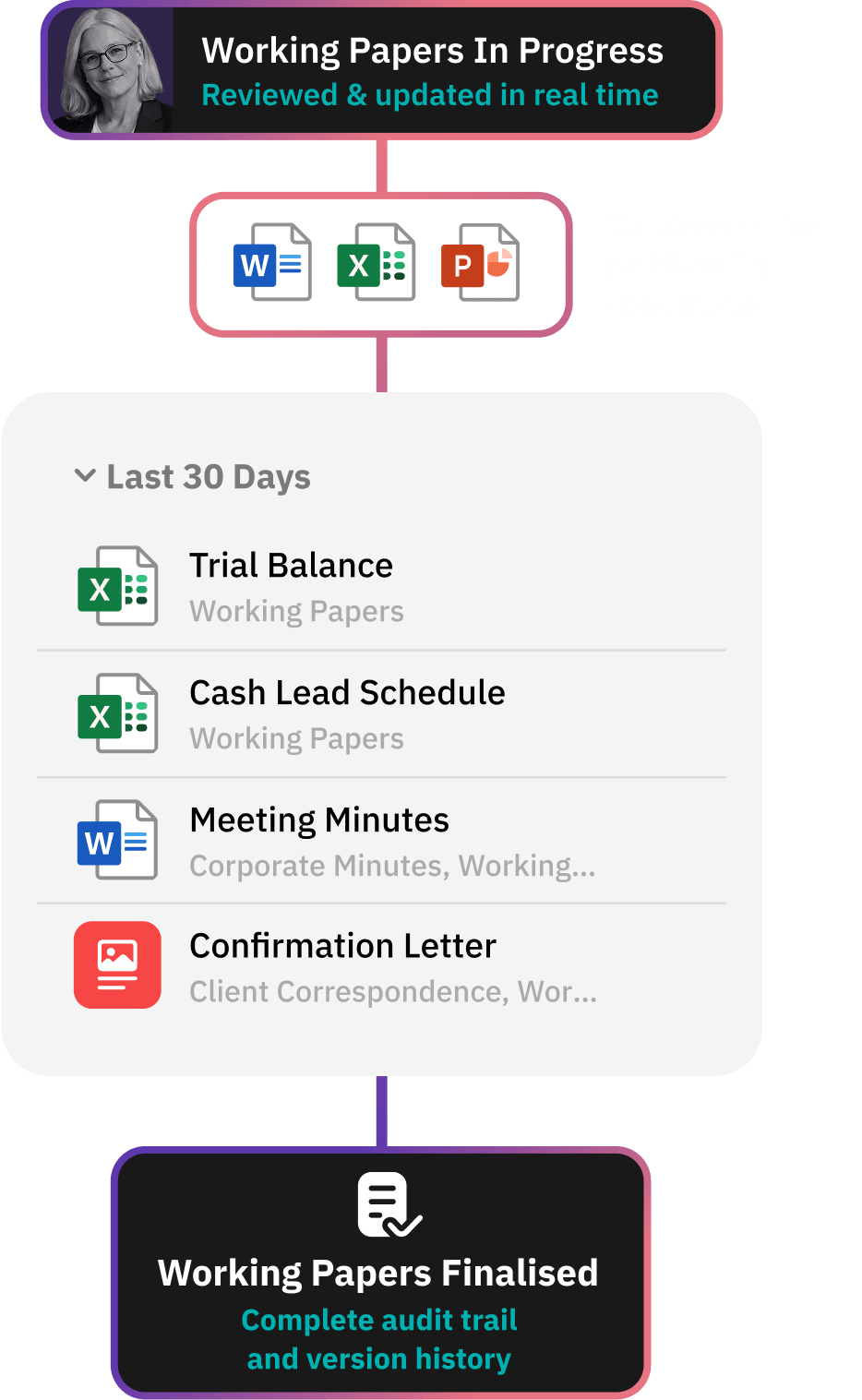
Working papers software gives firms one structured place to build lead schedules, reconciliations and adjustments – evidence attached, every version tracked, review points captured in context. The whole engagement stays organised and audit-ready.

Working Papers Before

Fragmented, hard to control, and risky.

• Files across emails, desktops & systems

• Multiple version conflicts

• Missing evidence

• Slow reviews create rework and risk

Working Papers After

1 secure, structured client file for every job.

• Teams co-author spreadsheets & documents in real time

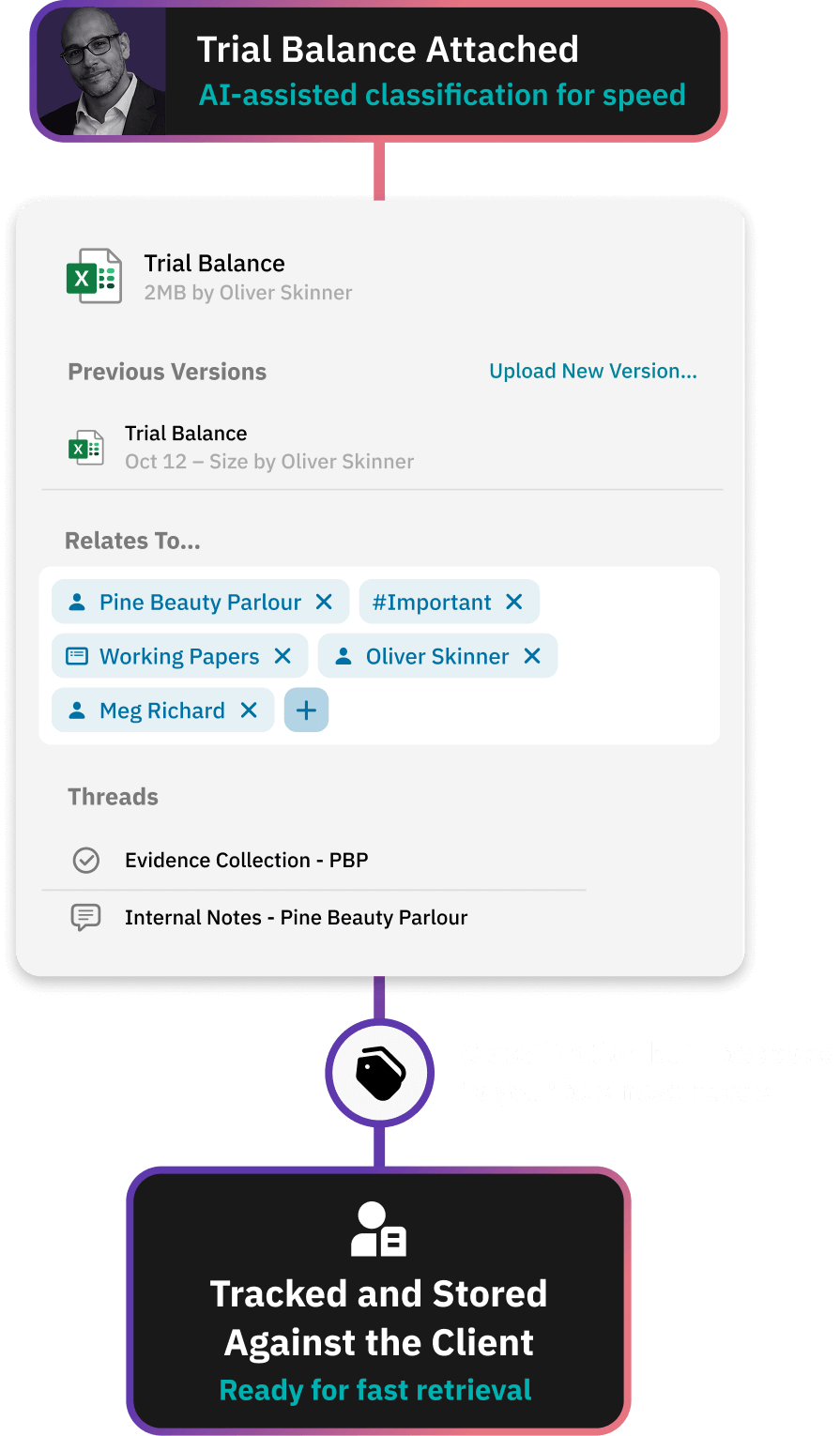
• Supporting evidence attaches directly

• Track review notes

• Maintain a perfect audit trail

See the difference

Workflow diagram showing document request via no-password secure link for client onboarding, with active threads and recent documents logged and filed against client as a single source of truth.

Build Working Papers with Real-Time Collaboration

Upload Excel files and continue working in Office 365 without downloading documents.

Multiple team members can collaborate at once - removing the “check-out/check-in” bottleneck common in legacy DMS solutions.

“Having one source of truth for collaboration between teams and clients enables us to deliver exceptional service.”

A Workiro customer

Martin Bugg
Director at Larking Gowen

Top 40

Award-winning accounting firm

450

Sized team

A 98.4% Support Rating Over Last 120,367 Tickets

Free migration for eligible firms – book a demo for qualification
Workflow for AML / KYC document collection

Attach Evidence Directly Inside the Paper Trail

Supporting documents such as bank statements, loan agreements, payroll reports, and invoices can be linked or uploaded to task threads.

Evidence stays permanently tied to the numbers and jobs it supports.

Book a demo

Workflow for AML / KYC document collection

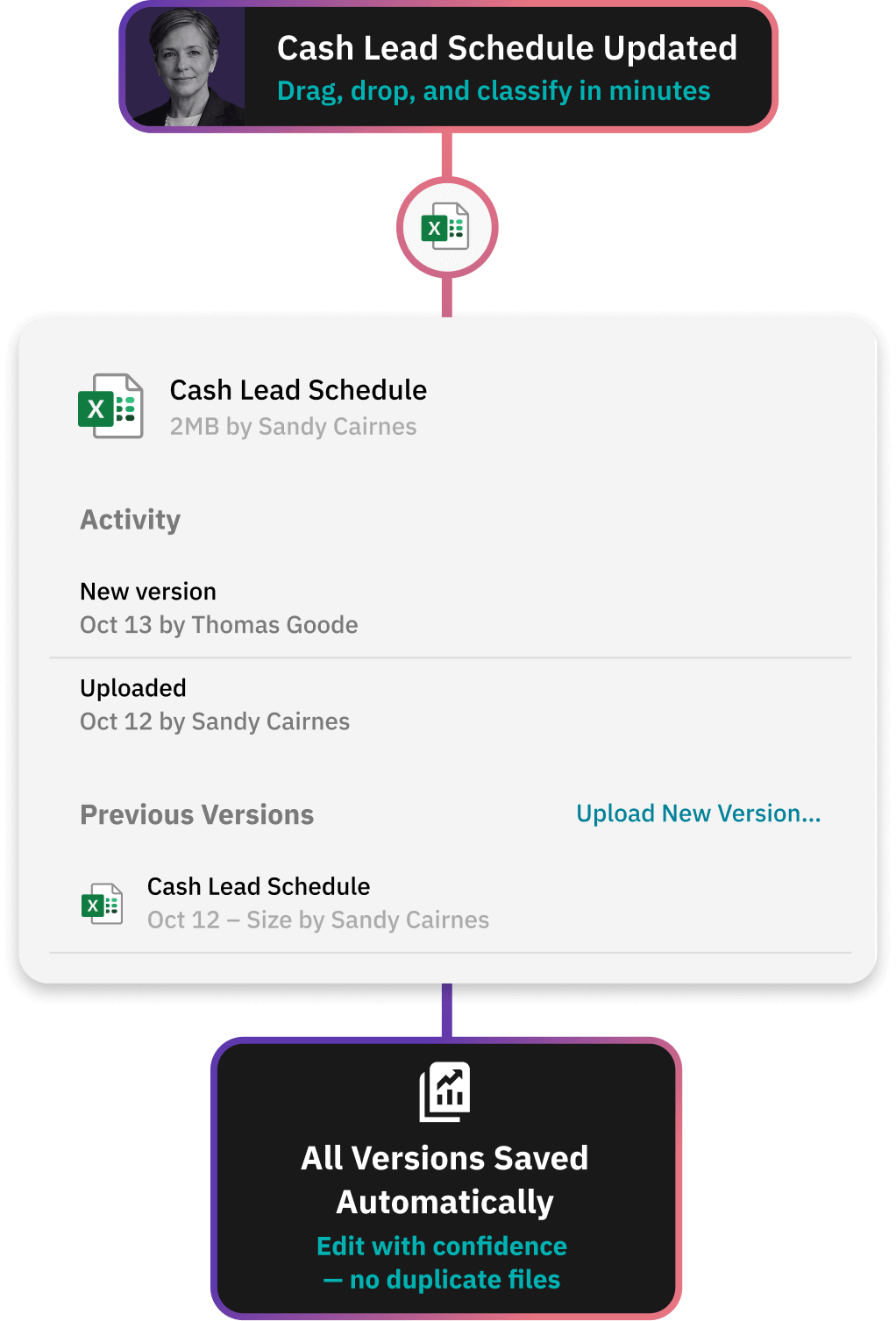
Maintain Version Control Automatically

Every edit, upload, and adjustment is tracked with timestamps and full history.

Reviewers always know they are working from the latest version - reducing errors and duplication.

Workflow for centralising all verification evidence

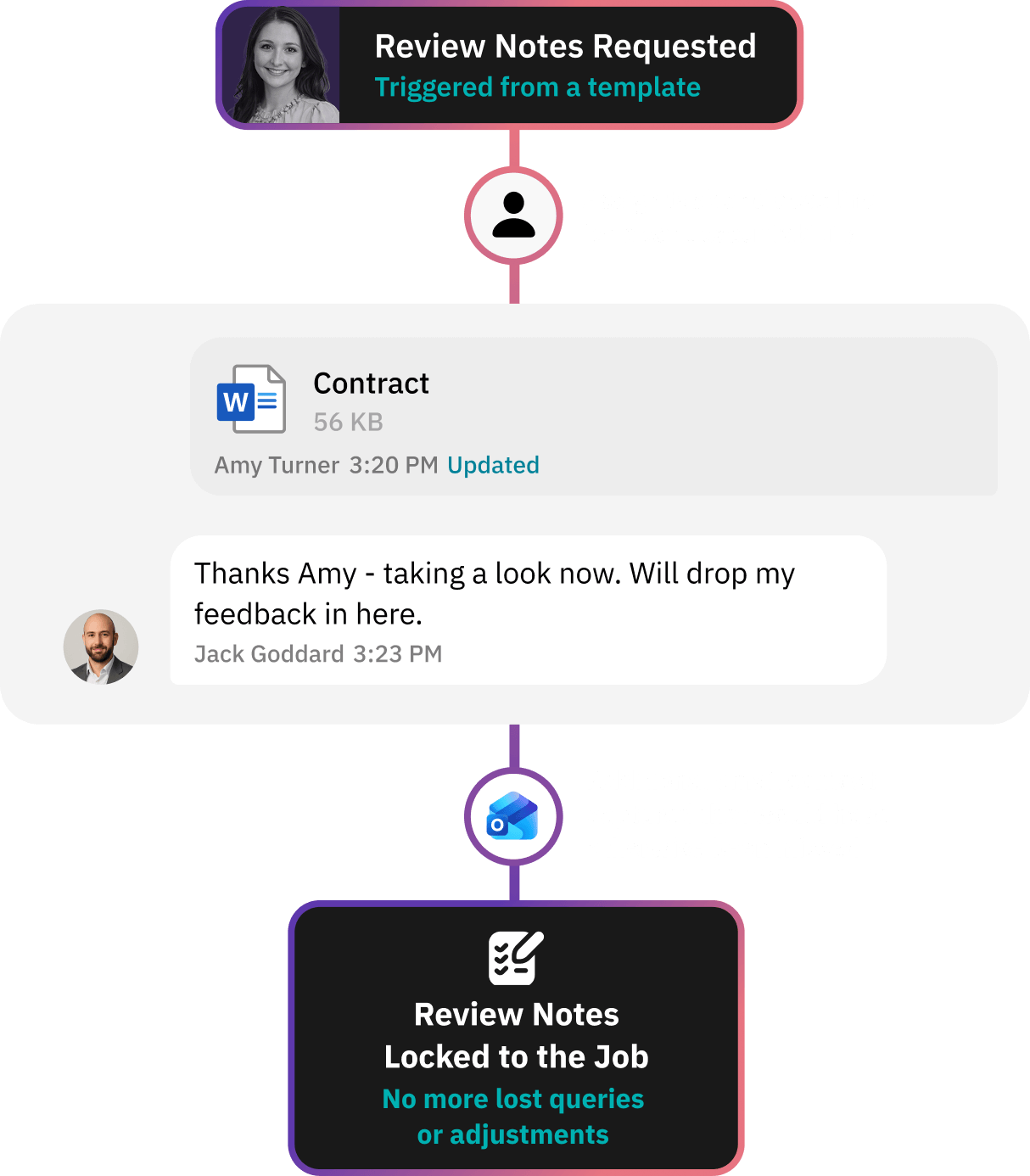
Capture Review Notes and Adjustments in Context

Managers and partners add comments directly to the document’s thread, creating a single place for queries, explanations, and audit-ready clarity.

Emails can be automatically captured and stored against the right job or client, so no more hunting for review notes, adjustments or approvals buried in email threads.

“It all stays in one place. People know they need to look at it because it’s got their name on it.”

A Workiro customer

Susan Rickerby
Director, Lloydbottoms Chartered Accountants

15

years of documents now in the cloud

0

client logins now required for signing

Workflow for giving clients a secure document portal without logins

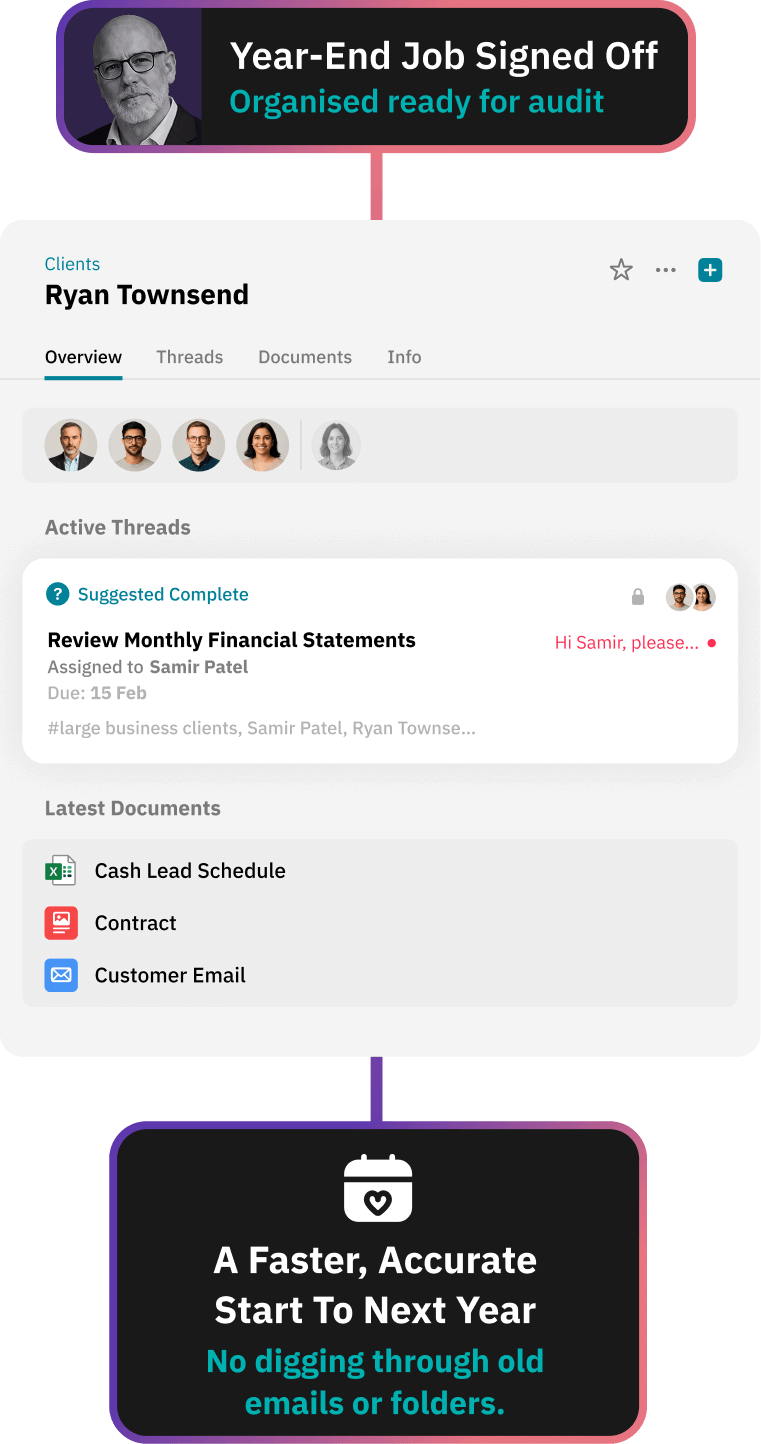
Carry Forward Context for Next Year’s Engagements

Prior-year conversations, evidence, and notes remain attached to the document history, enabling faster, more accurate year-on-year work.

All the information you need - saved in one place.

Book a demo

Working Papers and Workiro Frequently Asked Questions:

Working papers software gives accounting firms one structured place to build lead schedules, reconciliations and adjustments — evidence attached, every version tracked automatically, review points captured in context. Instead of spreadsheets scattered across drives and inboxes, the whole engagement stays organised and audit-ready in a single client file. It's the engagement-level heart of document management for accountants.

Documents open and co-author in Microsoft 365, so there's no check-out, check-in — two people can work in the same schedule at once without creating duplicate copies. Every change is recorded automatically, the file shows who changed what and when, and earlier versions are retained with the complete activity history.

Yes. Bank confirmations, invoices and client correspondence attach to the specific schedule they support, not a loose folder — so when a reviewer or an inspector queries a number, the evidence behind it is right there in context, with a record of who added it and when.

Review points are raised as threads in context, against the schedule or document they relate to. Feedback, queries and decisions stay with the work rather than scattered across a partner's inbox, and each point's resolution is captured in the file — so nothing gets lost between preparer and reviewer.

They stay exactly where they should be. Working papers belong to the client record, not the person who prepared them — so when a team member leaves, their schedules, evidence and review history remain in the client file with the full activity trail intact. No hunting through a departed colleague's inbox or personal drive.

Workiro is document management and client workflow software for accounting and professional-services firms in the UK and Australia.